> ## Documentation Index
> Fetch the complete documentation index at: https://docs-dev-actions-triggers-prototype.mintlify.site/llms.txt
> Use this file to discover all available pages before exploring further.
> Describes the settings related to credentials tab available in the Auth0 Dashboard.
# Credential Settings
On the [Applications](http://manage.auth0.com/#/applications) page of the Dashboard, locate your application in the list, and click its name to view the available settings. Switch to the **Credentials** tab.
The Credentials tab may not be visible in your tenant if you have a public application. To learn more about confidential applications versus public applications, read [Confidential and Public Applications](/docs/get-started/applications/confidential-and-public-applications).
 ## Authentication Methods
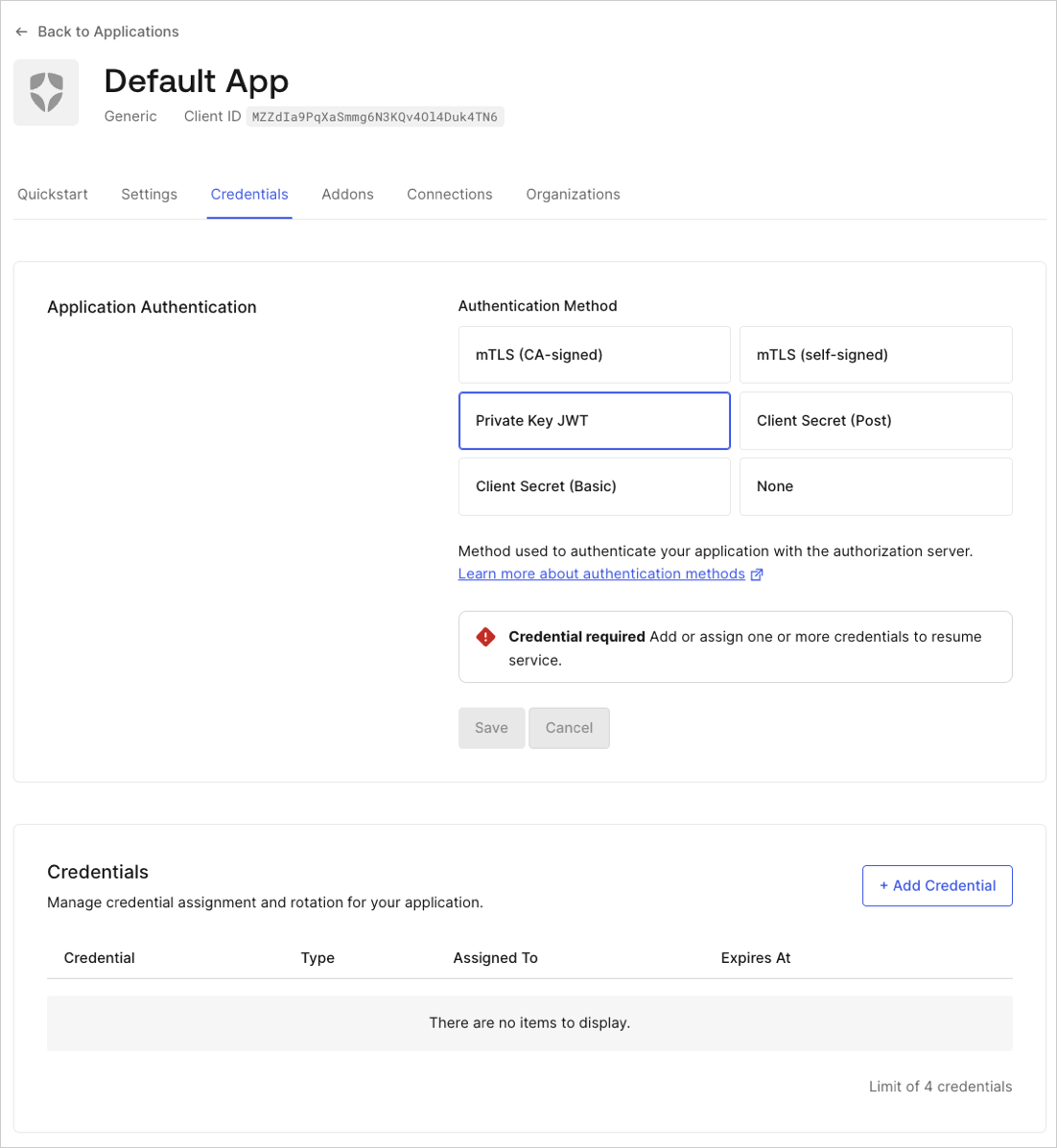
Auth0 offers the following ways your application can authenticate with the authorization server:
* **Private Key JWT**: An asymmetric authentication method for confidential applications. In Private Key JWT, you generate a pair of keys, public and private, to use as credentials. You provide the public key and securely store the private key in your own system without sharing it with Auth0. You use the private key to sign the request sent to the authorization server. You can manage the public keys below in the **Available Credentials** section.
* **Client Secret:** A symmetrical authentication method. In Client Secret authentication, you provide the Client Secret Auth0 assigned when you created the application. You can view and copy the `client_secret` directly from this section.
* **Client Secret (Basic)**: Use Basic for a confidential application using the `HTTP BASIC` authentication scheme to send a Client Secret.
* **Client Secret (Post)**: Use Post for a confidential application using request body parameters to send a Client Secret.
To learn more about authentication methods and associated credentials, read [Application Credentials](/docs/secure/application-credentials).
## Available Credentials
## Authentication Methods
Auth0 offers the following ways your application can authenticate with the authorization server:
* **Private Key JWT**: An asymmetric authentication method for confidential applications. In Private Key JWT, you generate a pair of keys, public and private, to use as credentials. You provide the public key and securely store the private key in your own system without sharing it with Auth0. You use the private key to sign the request sent to the authorization server. You can manage the public keys below in the **Available Credentials** section.
* **Client Secret:** A symmetrical authentication method. In Client Secret authentication, you provide the Client Secret Auth0 assigned when you created the application. You can view and copy the `client_secret` directly from this section.
* **Client Secret (Basic)**: Use Basic for a confidential application using the `HTTP BASIC` authentication scheme to send a Client Secret.
* **Client Secret (Post)**: Use Post for a confidential application using request body parameters to send a Client Secret.
To learn more about authentication methods and associated credentials, read [Application Credentials](/docs/secure/application-credentials).
## Available Credentials
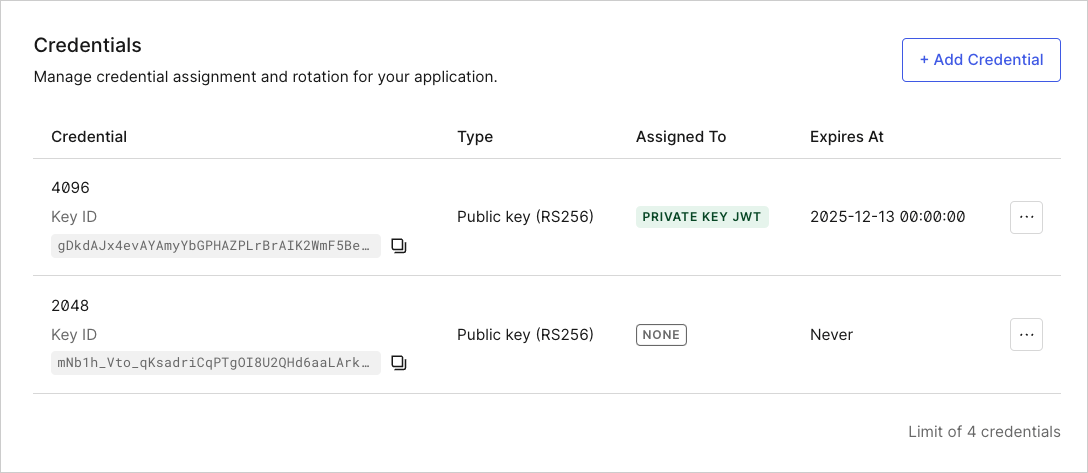 **Add New Credential**: Adds a new entry to the list if you have not reached the max number of credentials (2) for the application.
* **Name**: Name of the credential. For example: 4096.
* **Key ID**: Unique Auth0-generated credential identifier. The same credential can’t be uploaded more than once.
* **Algorithm**: Algorithm you select for each credential. We support RS256, PS256, and RS384.
* **Expires At**: `datetime` when the credential is invalid for the declared use. The credential will not be deleted, but will be inoperable. This can be configured in the UI by enabling the **Set an explicit expiry date for this credential** checkbox.
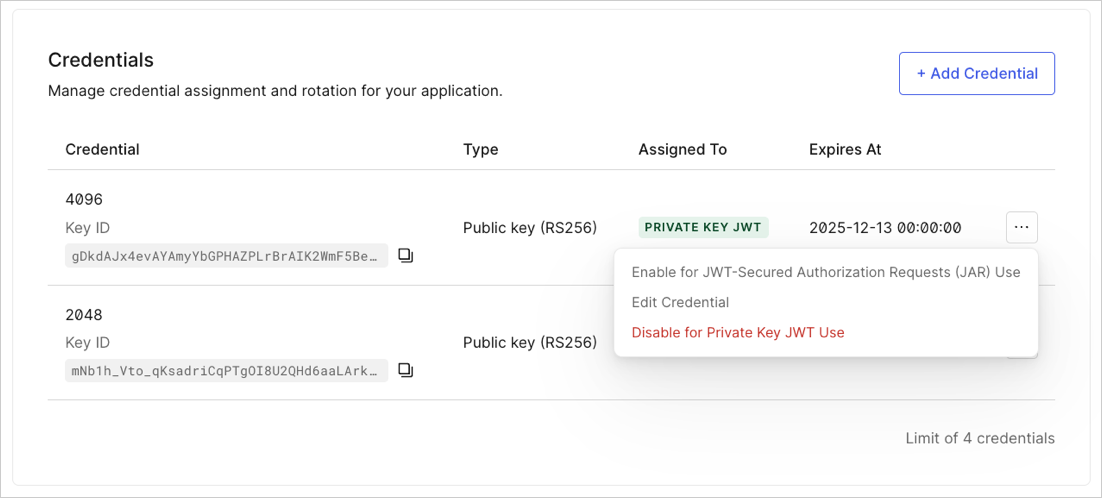
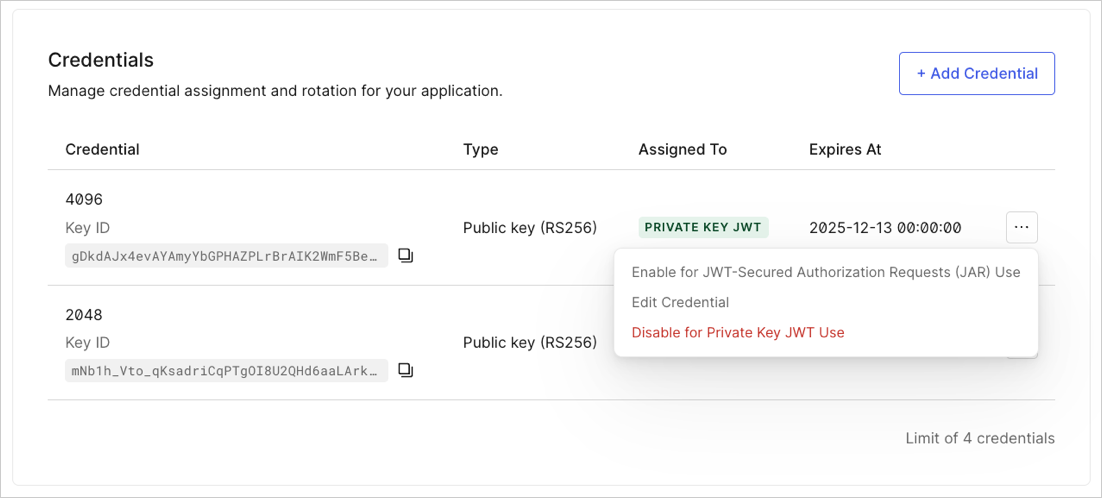
Choose the side menu to enable, disable, or delete credentials.
**Add New Credential**: Adds a new entry to the list if you have not reached the max number of credentials (2) for the application.
* **Name**: Name of the credential. For example: 4096.
* **Key ID**: Unique Auth0-generated credential identifier. The same credential can’t be uploaded more than once.
* **Algorithm**: Algorithm you select for each credential. We support RS256, PS256, and RS384.
* **Expires At**: `datetime` when the credential is invalid for the declared use. The credential will not be deleted, but will be inoperable. This can be configured in the UI by enabling the **Set an explicit expiry date for this credential** checkbox.
Choose the side menu to enable, disable, or delete credentials.
 ## Rotate client secret
You may need to occasionally rotate your application’s client secret. To learn more, read [Rotate Client Secrets](/docs/get-started/applications/rotate-client-secret).
## Learn more
* [Application Credentials](/docs/secure/application-credentials)
* [Authenticate with Private Key JWT](/docs/get-started/authentication-and-authorization-flow/authenticate-with-private-key-jwt)
* [Rotate Credentials](/docs/get-started/applications/rotate-credentials)
* [Configure Private Key JWT Authentication](/docs/get-started/applications/configure-private-key-jwt)
## Rotate client secret
You may need to occasionally rotate your application’s client secret. To learn more, read [Rotate Client Secrets](/docs/get-started/applications/rotate-client-secret).
## Learn more
* [Application Credentials](/docs/secure/application-credentials)
* [Authenticate with Private Key JWT](/docs/get-started/authentication-and-authorization-flow/authenticate-with-private-key-jwt)
* [Rotate Credentials](/docs/get-started/applications/rotate-credentials)
* [Configure Private Key JWT Authentication](/docs/get-started/applications/configure-private-key-jwt)