> ## Documentation Index
> Fetch the complete documentation index at: https://docs-dev-actions-triggers-prototype.mintlify.site/llms.txt
> Use this file to discover all available pages before exploring further.
# Configure Resend as an Email Provider
> Instructions on how to configure Resend as an email provider with Auth0.
## Prerequisites
* You must have a [Resend](https://resend.com) account.
* You must verify at least one domain with Resend before you can send emails. To learn more, read Resend's [domain verification documentation](https://resend.com/docs/dashboard/domains/introduction).
* You must configure your provider to allow inbound connections from specific [Auth0 IP addresses](/docs/secure/security-guidance/data-security/allowlist).
## Configure Resend
1. Log in to your [Resend](https://resend.com) account.
2. Navigate to **API Keys** and click **Create API Key**.
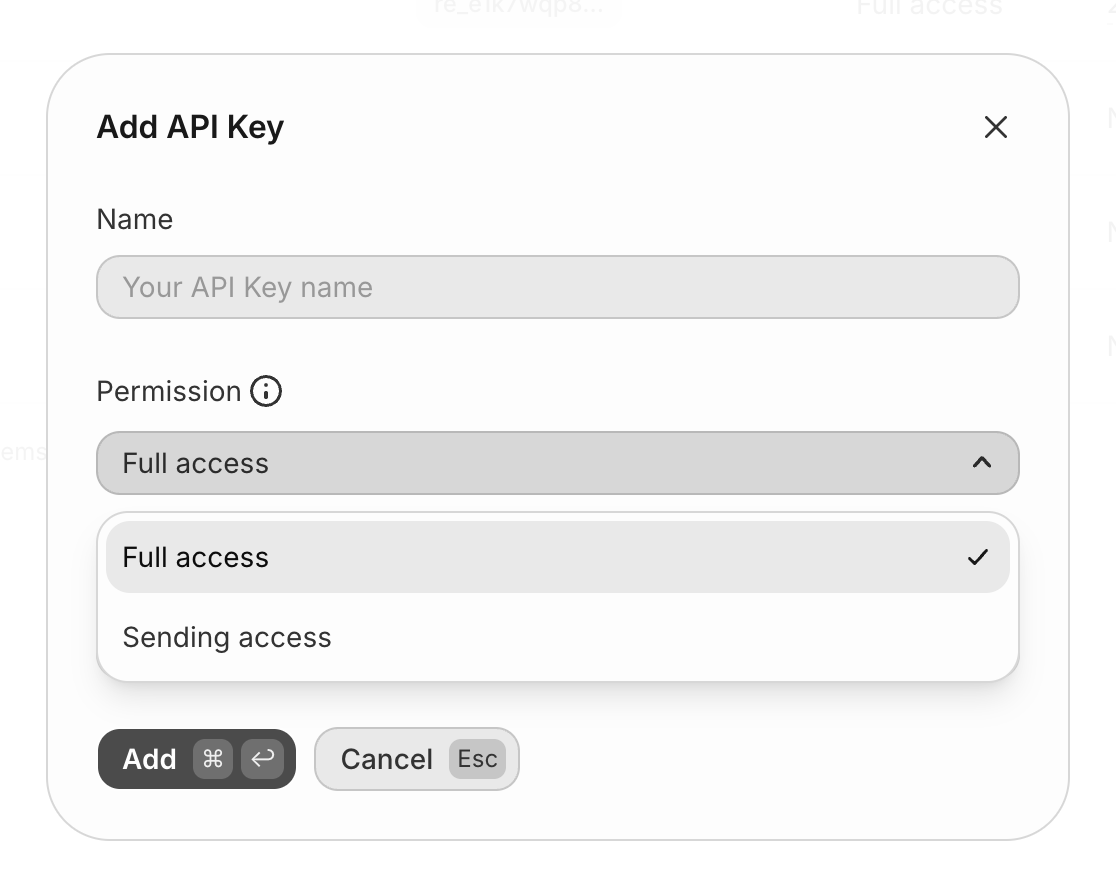
3. Type a name for your key, select the appropriate permission level and domain, and click **Add**.
 4. Copy the API key value. You will not be able to see it again.
5. Navigate to Auth0 [Dashboard > Branding > Email Provider](https://manage.auth0.com/#/branding/email_provider).
6. Activate the **Use my own email provider** toggle.
7. Select the **Resend** logo.
8. Type a **From** email address, paste the Resend **API Key** you copied, and click **Save**.
The **From** email address must use a domain you have verified with Resend. If you are using [passwordless authentication with email](/docs/authenticate/passwordless#email), the **From** email address value for your passwordless connection must match the **From** email address value you're using for Resend.
## Send a test email
Send a test email using the **Send Test Email** button. If the configuration is correct, you will receive a confirmation email. If you do not receive an email after a few minutes, check your [Auth0 logs](https://manage.auth0.com/#/logs) for error codes.
Once configured, the Resend [Emails](https://resend.com/emails) page displays delivery insights for all emails that have been sent to your users.
4. Copy the API key value. You will not be able to see it again.
5. Navigate to Auth0 [Dashboard > Branding > Email Provider](https://manage.auth0.com/#/branding/email_provider).
6. Activate the **Use my own email provider** toggle.
7. Select the **Resend** logo.
8. Type a **From** email address, paste the Resend **API Key** you copied, and click **Save**.
The **From** email address must use a domain you have verified with Resend. If you are using [passwordless authentication with email](/docs/authenticate/passwordless#email), the **From** email address value for your passwordless connection must match the **From** email address value you're using for Resend.
## Send a test email
Send a test email using the **Send Test Email** button. If the configuration is correct, you will receive a confirmation email. If you do not receive an email after a few minutes, check your [Auth0 logs](https://manage.auth0.com/#/logs) for error codes.
Once configured, the Resend [Emails](https://resend.com/emails) page displays delivery insights for all emails that have been sent to your users.