> ## Documentation Index
> Fetch the complete documentation index at: https://docs-dev-actions-triggers-prototype.mintlify.site/llms.txt
> Use this file to discover all available pages before exploring further.
# Configure Universal Login with Passwordless
> Learn how to configure your login page to use passwordless authentication using the Auth0 Dashboard.
Your Auth0 plan or custom agreement affects whether this feature is available. To learn more, read [Pricing](https://auth0.com/pricing).
Universal Login is Auth0's implementation of the authentication flow, which is the key feature of an Authorization Server. Each time a user needs to prove their identity, your applications redirect to Universal Login and Auth0 guarantees the user's identity. You can choose to enable Passwordless authentication when you configure Universal Login in the Auth0 Dashboard.
First, determine if you want users to use SMS, email, or WebAuthn for device biometrics as the Passwordless authentication method. It is not currently possible to support all three authentication methods in a single login flow.
## Passwordless with email or SMS
You can configure Auth0 so users can authenticate with a magic link or one-time password (OTP) sent to their email, or an OTP sent to their phone number. To learn more, read [Configure Email or SMS for Passwordless Authentication](/docs/authenticate/login/auth0-universal-login/passwordless-login/email-or-sms).
## Passwordless with WebAuthn with device biometrics
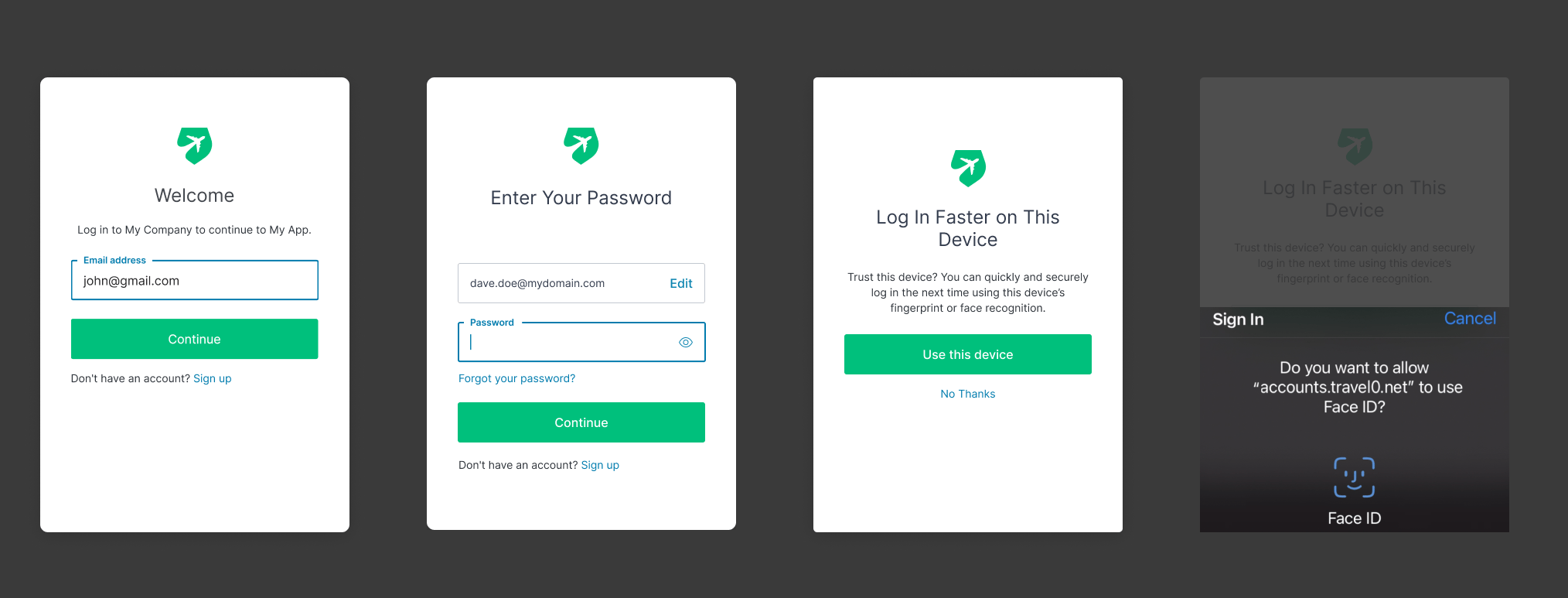
When using WebAuthn with Device Biometrics, users will be able to authenticate with their password, or with any of their devices that support WebAuthn with Device Biometrics.
Each time they login from a new device, Auth0 will offer them the option to use biometrics instead of a password. To learn more, read [Passwordless with WebAuthn with Device Biometrics](/docs/authenticate/login/auth0-universal-login/passwordless-login/webauthn-device-biometrics).