> ## Documentation Index
> Fetch the complete documentation index at: https://docs-dev-actions-triggers-prototype.mintlify.site/llms.txt
> Use this file to discover all available pages before exploring further.
> Describes how to enable enterprise connections for applications using the Auth0 Dashboard.
# Enable Enterprise Connections
You can enable enterprise connections for applications using the Auth0 Dashboard. To enable your enterprise connection, you should have already set it up.
1. Go to [Auth0 Dashboard > Authentication > Enterprise](https://manage.auth0.com/#/connections/enterprise), and select the connection type to view.
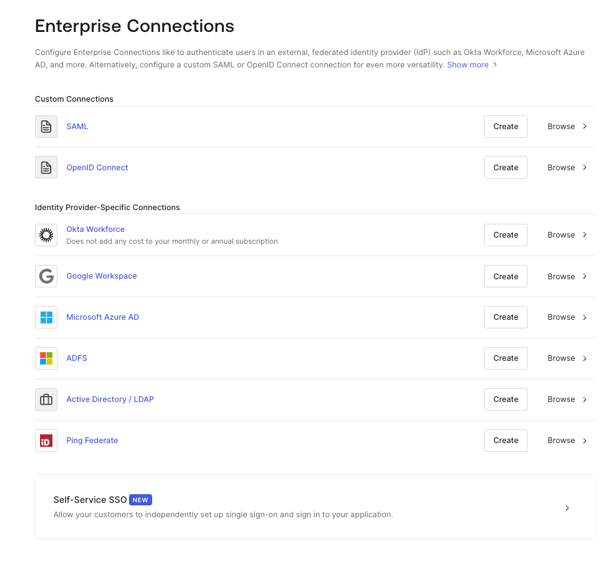 2. Select the name of the connection to view.
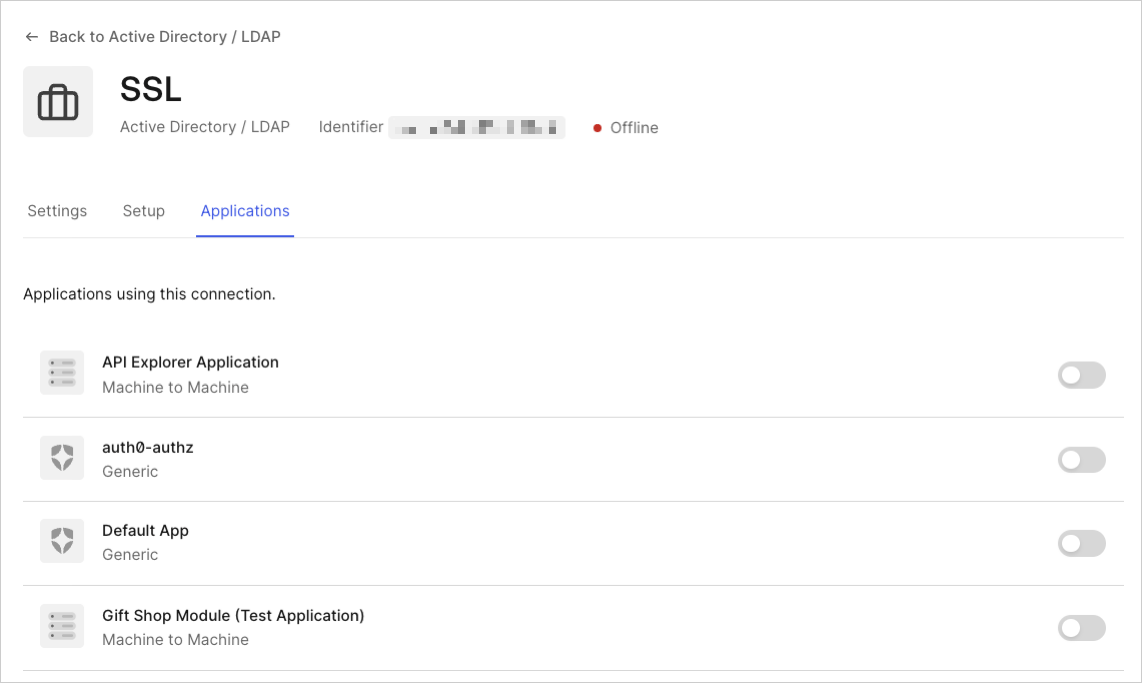
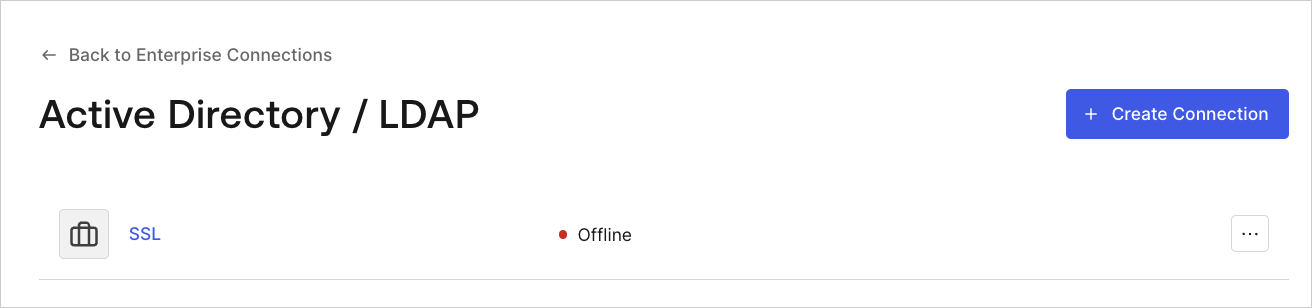 3. Select the **Applications** view, and enable or disable the connection for the appropriate application(s).
 When you set up your enterprise IdP connection, remember that the `connection` parameter passed to Auth0's `/authorize,` `/whr,` or `/wsfed` endpoint will redirect to the upstream IdP **unless** it's connected via database or Active Directory.
## Learn more
* [Test Enterprise Connections](/docs/authenticate/identity-providers/enterprise-identity-providers/test-enterprise-connections)
When you set up your enterprise IdP connection, remember that the `connection` parameter passed to Auth0's `/authorize,` `/whr,` or `/wsfed` endpoint will redirect to the upstream IdP **unless** it's connected via database or Active Directory.
## Learn more
* [Test Enterprise Connections](/docs/authenticate/identity-providers/enterprise-identity-providers/test-enterprise-connections)